

Is rank tracking accuracy slipping? Learn how Google’s goto redirects and poisoned SERPs affect rank trackers, and how to verify drops in Search Console.
For years, Google Search Console has been the go-to tool for monitoring website performance in Google Search. However, creators, publishers, and brands no longer rely solely on websites to reach their audiences. Platforms like YouTube, Instagram, TikTok, and X have become major content distribution channels, yet there has always been one missing piece: understanding how Google Search contributes to the visibility of that content.
Google has finally addressed that gap.
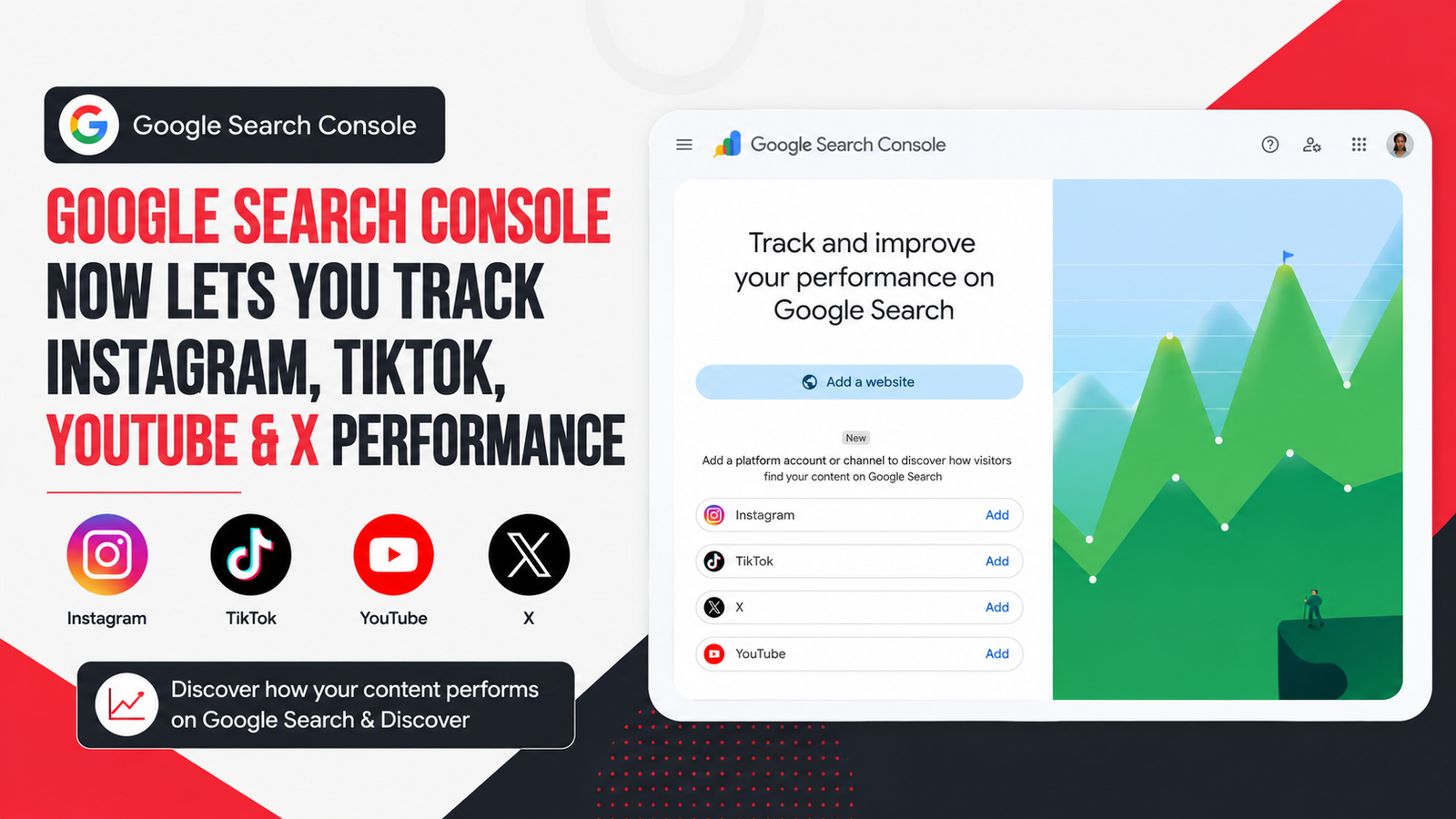
Google has officially launched Platform Properties in Search Console, allowing creators and businesses to measure how their social and video content performs across Google Search, Discover, and Google News. Instead of only tracking website pages, Search Console can now report how users discover eligible content published on supported social platforms.
This update represents one of the biggest expansions of Search Console in recent years and gives marketers, SEO professionals, publishers, and creators a much broader view of their overall search presence. It also follows closely on the heels of Search Console’s new Generative AI report, continuing Google’s push to show how content is discovered beyond traditional blue links.
What Are Search Console Platform Properties?
Platform Properties are a new property type inside Google Search Console that connects your supported social media accounts directly with Search Console.
Instead of verifying a website domain, you can now verify eligible accounts from:
- YouTube
- TikTok
- X (formerly Twitter)
Once connected, Search Console begins reporting how your content appears and performs within Google Search.
Rather than only seeing website clicks, you’ll now understand:
- Which Google searches led users to your social content
- Which posts receive the most search traffic
- How impressions and clicks change over time
- Which topics are gaining or losing momentum
This provides visibility that social platforms themselves cannot offer because they typically measure activity inside their own apps, not what users searched for on Google before arriving at your content.
Why This Update Matters
Content consumption has changed dramatically over the last few years.
People increasingly search Google for:
- Tutorials on YouTube
- Product reviews on TikTok
- Travel inspiration on Instagram
- News and discussions on X
Google recognizes that users consume valuable information beyond traditional websites.
With Platform Properties, creators who don’t even own a website can now understand how Google Search contributes to their audience growth.
For businesses that publish across multiple channels, this means finally having one place to measure both website and social search visibility.
Which Platforms Are Supported?
At launch, Platform Properties support four major platforms:
- YouTube
- TikTok
- X
Google has not announced additional supported platforms yet, although future expansion remains possible.
What Reports Are Available?
Google has introduced three primary reports for Platform Properties.
1. Performance Report
The Performance Report works similarly to the existing website report.
You can monitor:
- Total clicks
- Total impressions
- Search queries
- Top-performing posts
- Individual URLs
- Date comparisons
- Filters
The report can also be exported for deeper analysis in spreadsheets or BI tools.
2. Insights Report
The Insights Report provides a simplified overview designed for creators.
It highlights:
- Recent traffic trends
- Top-performing posts
- Trending search themes
- Audience discovery patterns
One particularly useful feature is Query Groups, which clusters related search terms into broader topics instead of displaying only individual keywords.
This helps identify emerging audience interests more quickly.
3. Achievements
Image Source: developers.google.com
Google also added milestone tracking.
For example, creators may receive notifications after reaching certain click thresholds from Google Search during the previous 28 days.
While primarily motivational, these milestones also help monitor long-term growth.
What Can You Actually Learn?
The real value lies in the insights.
Instead of guessing what your audience wants, Search Console now provides search-driven data.
For example, you can discover:
- Which YouTube videos attract Google Search traffic
- Which Instagram posts appear for specific search terms
- Which TikTok videos are becoming popular through Search
- Which X posts continue generating impressions
This allows creators to make informed content decisions rather than relying solely on platform algorithms.
Six Ways to Use Platform Properties More Effectively
Google also published a practical guide explaining how to analyze this new data.
Understand Search Intent
The Query Groups feature highlights:
- Top topics
- Trending up topics
- Trending down topics
Instead of focusing only on individual keywords, you can identify broader audience interests and create content around growing themes.
Detect Viral Opportunities Faster
Using the new 24-hour filter, creators can spot sudden traffic increases shortly after publishing.
If a video or post begins receiving unexpected Google Search traffic, it can be promoted across other platforms while momentum is still building.
Compare Performance Across Platforms
Because each platform has its own property, marketers can export data and combine it into a single spreadsheet.
This makes it easier to compare:
- Instagram vs TikTok
- YouTube vs X
- Short-form vs long-form content
The result is a more complete understanding of where your audience discovers your content.
Refresh Older Content
Sometimes older videos begin attracting search traffic again.
Search Console helps identify these opportunities so creators can:
- Pin older posts
- Republish them
- Create follow-up content
- Produce updated versions
Instead of constantly creating new content, marketers can maximize the value of existing assets.
Measure Content Changes
Google recommends using Search Console Annotations whenever major changes are made.
Examples include:
- Updating a YouTube title
- Rewriting a TikTok caption
- Editing metadata
Annotations make it easier to compare performance before and after those updates.
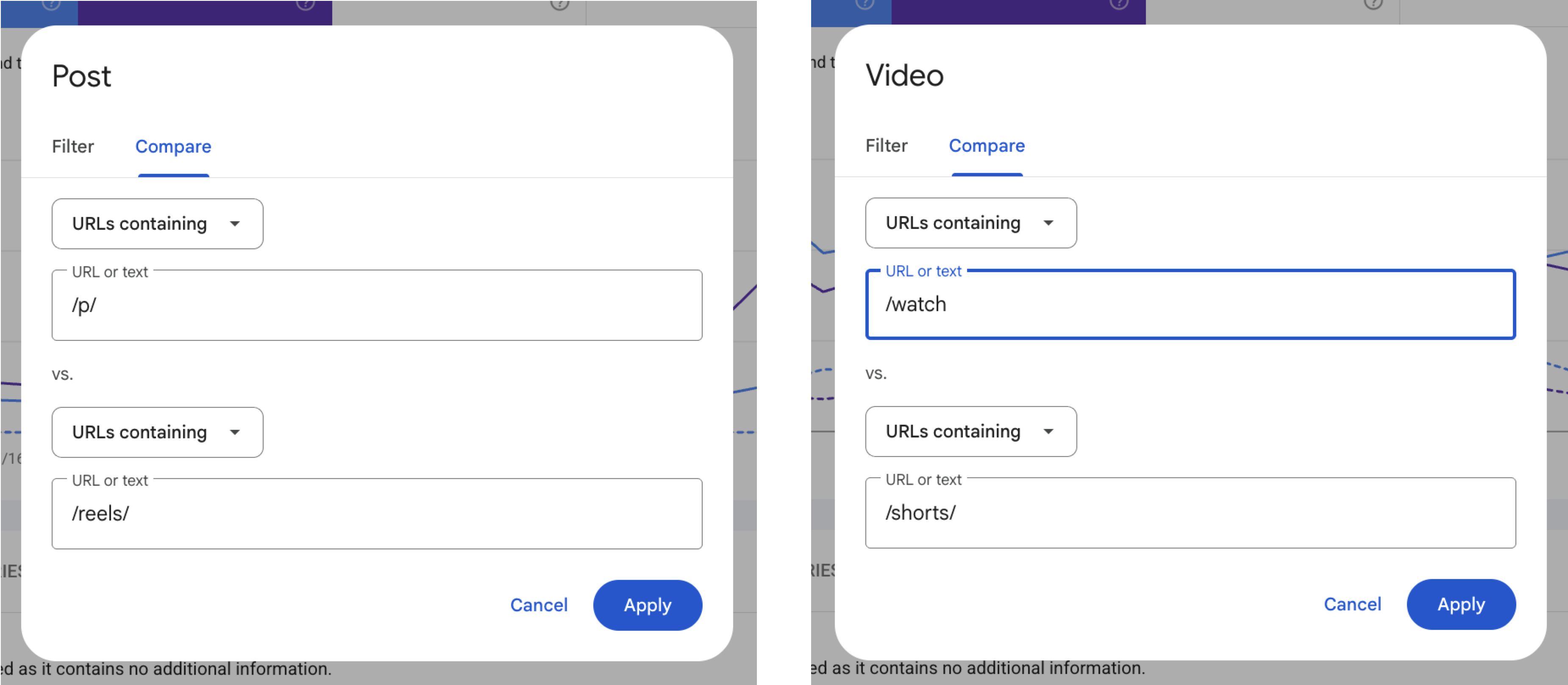
Compare Different Content Formats
Image Source: developers.google.com
Comparison Mode lets users evaluate different types of content side by side.
Examples include:
-
YouTube Shorts vs Long Videos
-
Instagram Posts vs Reels
-
Different playlists
-
Different campaigns
This helps identify which formats attract the most Google Search traffic.
How to Set Up Platform Properties
Getting started is straightforward.
- Open Google Search Console.
- Click Add Property.
- Select Platform Property.
- Choose Instagram, TikTok, YouTube, or X.
- Complete the verification process.
- Wait for Search Console to begin collecting available data.
Google has confirmed that creators who already have a verified Search Profile should automatically receive access to the corresponding platform data.
What Makes This Different From Social Analytics?
Instagram, TikTok, YouTube, and X already provide detailed analytics.
However, those reports focus on activity within their own platforms.
Search Console answers an entirely different question:
What did someone search on Google before discovering my content?
That information has traditionally been unavailable through social platform analytics.
Now, marketers can connect Google Search behavior with social media performance.
What This Means for SEO Professionals
This update expands SEO beyond websites.
Search visibility now includes:
-
Websites
-
Videos
-
Reels
-
Social posts
-
Creator profiles
For SEO professionals, this creates new opportunities to:
-
Research search demand
-
Identify content gaps
-
Measure omnichannel visibility
-
Align website and social strategies
-
Build content around real user searches
Instead of treating SEO and social media as separate disciplines, Platform Properties help connect them through shared search data.
Final Thoughts
Google’s Platform Properties represent a significant evolution of Search Console.
For the first time, creators, publishers, and businesses can understand how Google Search contributes to the success of their social and video content across Instagram, YouTube, TikTok, and X.
Rather than relying solely on in-platform analytics, users now gain access to Google’s own search data, revealing which queries drive discovery, which topics are gaining momentum, and where future content opportunities exist.
As search behavior continues to evolve across websites, videos, and social platforms, having a unified view of performance will become increasingly valuable for both SEO professionals and content creators.
Ready to grow your organic presence?
Book a free strategy consultation with Adcept Marketing today and discover how data-driven SEO can help your business attract more qualified traffic, leads, and customers.
Frequently Asked Questions
Does Google Search Console now support social media accounts?
Yes. Google now supports Platform Properties that allow eligible Instagram, YouTube, TikTok, and X accounts to be connected to Search Console.
Can I see which Google searches lead users to my Instagram posts?
Yes. Platform Properties show the Google search queries that drive traffic to eligible Instagram content appearing in Google Search.
Does this replace YouTube Analytics or TikTok Analytics?
No. Platform Properties complement platform analytics by showing how Google Search contributes to content discovery rather than measuring activity inside the platforms themselves.
Is Platform Properties available globally?
Yes. Google announced global availability on July 29, 2026, after an initial phased rollout earlier in the month.
Can businesses without a website use Search Console?
Yes. Eligible creators and publishers can use Platform Properties even if they do not own a traditional website, provided they complete the verification process for supported social accounts.
Sources
-
Google Search Central Blog: “See how content from social and video platforms performs on Google Search” (July 7, 2026).
-
Google Search Central Blog: “Platform properties roll out globally, plus a new social and video performance guide” (July 29, 2026).
-
Search Engine Journal: “Google Opens Search Console Social Reporting To Everyone” by Matt G. Southern.