
Built your site with Lovable, Bolt or another AI tool? These vibe coding SEO checks show if Google can read and index it, and how to fix what’s missing.

- Ammar Saleem
- Posted on
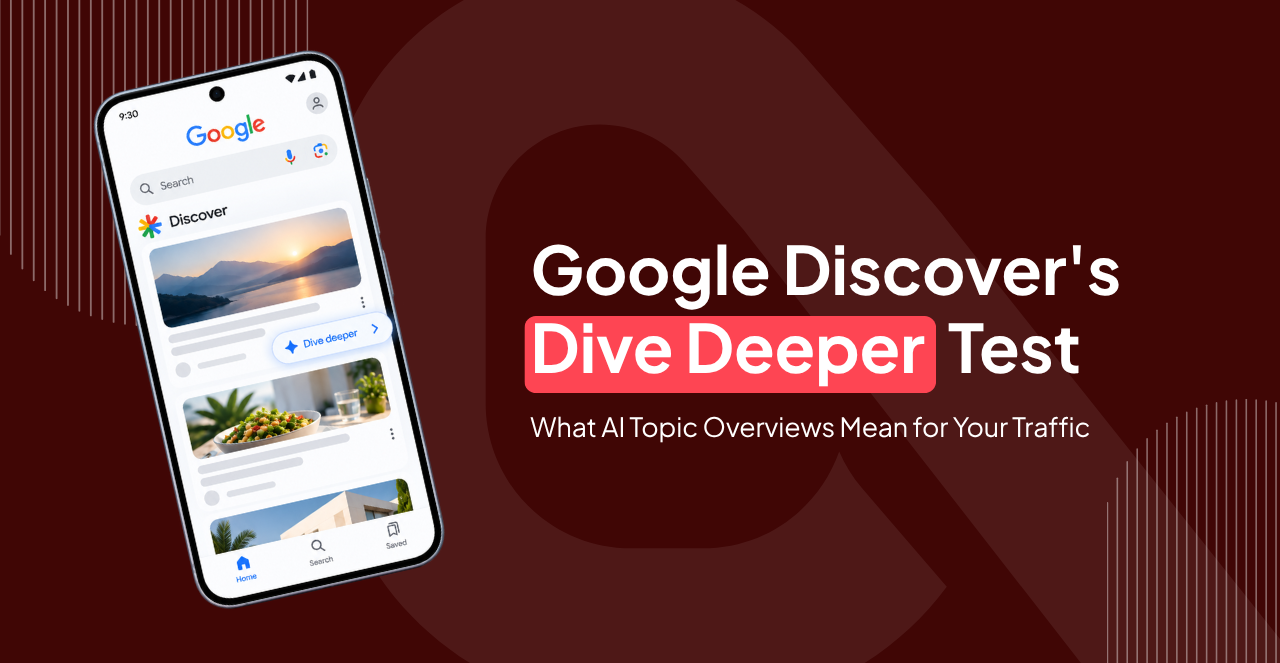
Table of Contents
Google is testing a “Dive Deeper” button in Discover that opens an AI-generated topic overview with links to related stories. The experiment began with video cards, and its impact on Google Discover traffic remains unknown.
Google Discover has a peculiar talent for sending traffic your way without anyone searching for your content. One article catches someone’s eye, the clicks roll in, and suddenly your analytics look rather cheerful. Then the traffic dips, leaving you wondering what changed.
Now Google is testing another step in that journey. Its new Dive Deeper button opens an AI-generated overview of a topic, with links to related coverage. Readers can explore that overview before deciding which source to visit. So, for publishers relying on Google Discover traffic, that raises an important question. Could another layer of AI influence how many people click through to your website?
The answer isn’t clear yet. This guide covers what Google has confirmed, what remains uncertain, and how to prepare without overreacting to an experiment.
Key Takeaways
- The extra step could change how readers discover publisher content, but Google has not released evidence of any resulting traffic loss or gain.
- Google’s February 2026 Discover core update emphasized locally relevant, original, in-depth, and timely content from sources with relevant expertise.
- Pages must be indexed by Google and comply with Discover’s content policies.
- Eligibility does not guarantee visibility.
What Is Going on with Google Discover?
Google is testing AI features inside Discover as it continues refining which content the feed surfaces. Two developments deserve attention: the Dive Deeper test and the February 2026 Discover core update. The first could change how readers reach publisher websites. The second offers useful context for understanding Google’s content priorities.
Let’s start with the experiment behind the growing interest in Google Discover Deeper.
What is the Dive Deeper Test?
On September 18, 2026, Robby Stein, who leads product for Google Search, announced a new Discover experiment on X. The Dive Deeper button opens a short, AI-generated topic overview with links to related stories, community reactions, and original reporting.
Google’s example features a video about a heat wave in Northern California. Beneath the video, an AI-generated summary carries a warning that the information may contain mistakes. Tapping Dive Deeper opens a broader overview with additional source links and related coverage.
The test starts with videos, with multiple designs planned as Google learns what works. It has not publicly specified the countries, languages, or audience sizes involved. Some people call it the Google Discover deeper test.
What Could Dive Deeper Mean for Google Discover Traffic?
The impact remains unknown. The new experience introduces another interaction between seeing a Discover card and visiting a publisher’s website. That could affect click-through rates, but the direction and scale of any change have yet to be established.
Search Engine Land argues that the additional AI overview could reduce publisher clicks by giving readers useful information before they visit an external website. There’s another possibility, though. By presenting links to related reporting, the overview could help readers discover sources they might not have encountered otherwise.
For example, someone who spots your video in Discover and taps Dive Deeper. They can explore Google’s summary and related coverage before deciding which link to open. Some readers may leave satisfied with the overview. Others may follow a source link to investigate the story further.
Until Google publishes evidence or publishers can measure the effects, neither outcome should be treated as a certainty. Google has also not said which countries, languages, or audience sizes are in the test. It has also not said whether a link inside an overview would be counted or reported separately. That makes the Google Search Console generative AI report and your Discover report the first places to look. Watch them for shifts in your Google Discover traffic.
How Does Google Discover Work?
Google Discover is a personalised feed that recommends content based on a person’s interests without any search query. Think of it as Google anticipating what you might want to read next. Its recommendations draw on signals such as Web & App Activity and interactions with Google products. The feed covers a wide range of topics, and older articles can resurface if they remain relevant to someone’s interests.
Discover also draws on Google’s broader Search systems. Google says it uses many of the same signals and systems that judge helpful, people-first content. So, a page that serves readers well in Search has a head start in Discover too. A strong image and an honest headline then decide whether anyone taps it.
However, strong search performance does not guarantee Discover visibility. Pages must be indexed and meet Discover’s content policies to be eligible, and Google does not guarantee that eligible pages will appear in the feed.
What is the Difference Between Google Search and Google Discover?
The distinction between Google Discover vs. Google Search comes down to what prompts someone to see your content. In Search, people enter a query to find information. In Discover, Google makes the first move.
Here’s how the two compare:
| Feature | Google Search | Google Discover |
|---|---|---|
| Trigger | A typed or spoken query | No query; Google predicts interests |
| Reader mindset | Actively looking for information | Is browsing and open to ideas |
| Traffic pattern | Influenced by search demand, rankings, and competition | Less predictable and often spiky |
| Measurement | Performance report in Search Console | Separate Discover report in Search Console |
Google also confirms that Discover traffic is less predictable than keyword-driven Search traffic. Because Discover is part of Google Search, updates to Google’s Search systems can affect Discover visibility too. However, fluctuations can also stem from changing audience interests or shifts in the types of content Google recommends.
Both experiences are evolving as AI changes how people find information. Understanding how search is changing with AI can help you plan for these shifts.
Why Has My Google Discover Traffic Dropped?
A Google Discover traffic drop usually follows an algorithm update, a content quality gap, or normal volatility. Before rewriting articles or changing your SEO strategy, identify what actually changed.
One major development was Google’s February 2026 Discover core update. It was the first core update focused specifically on Discover. Google stated that the update aimed to show more locally relevant content, reduce sensationalism and clickbait, and surface more original, in-depth, and timely content from websites with relevant expertise.
Start with these checks:
- Compare Discover clicks before and after 5 February 2026 in the Discover report.
- Review headlines for exaggeration or missing details.
- Avoid generic logos and make sure large image previews are enabled.
- Check Security and Manual actions to see if Google has reported a Discover policy violation.
- Separate impressions from clicks.
That last comparison can help you spot what some SEOs call the crocodile effect in SEO, where impressions and clicks diverge over time. Treat the data as evidence to investigate, rather than a reason to overhaul your site overnight.
How Do I Get into Google Discover?
If you want to know how to get into Google Discover, start with indexing and Google’s content policies. Content is eligible automatically once it is indexed and meets those policies. Eligibility is not a guarantee, though, so Google Discover SEO is about earning the tap.
Google’s official Discover documentation recommends several practices that can improve your chances of appearing in the feed:
- Use high-quality images. Aim for images at least 1,200 pixels wide, with more than 300,000 total pixels. Enable the max-image-preview: large setting to allow large image previews.
- Write accurate and compelling headlines. Capture the article’s main point without exaggerating claims or withholding essential information.
- Offer original insights. Publish timely stories, useful explainers, or distinctive analysis that adds something meaningful to the topic.
- Choose representative images. Avoid relying on generic visuals when a relevant editorial image better represents the story.
- Review clicks, impressions, and click-through rate in Search Console’s Discover report when your site has sufficient data.
Topical expertise and original reporting can strengthen your content strategy. However, Google does not prescribe a publishing frequency or require websites to cover only one subject. Focus on serving your intended audience well and build your approach around the results you observe.
How to Get Google Discover Feed?
If you want to access Google Discover as a reader, open the Google app on your phone. The Discover feed typically appears below the search bar. Depending on your device, you may also find it at Google.com in your mobile browser or by swiping right from your home screen on supported Android devices.
If the feed doesn’t appear, check your app settings. In the Google app, open your profile menu and look for Settings, then General, where the Discover option may be available. Menu labels can vary by app version and device.
For publishers, viewing Discover as a reader can also offer a useful perspective on how stories appear alongside competing content.
Why Can’t I See Google Discover?
If Google Discover isn’t showing up, start with three checks:
- Google account is signed in.
- Discover is turned on.
- Web & App activity is enabled.
If those settings look right, update the Google app and your browser. App glitches can also prevent the feed from loading properly. So, restart your device and try clearing the Google app’s cache. If you’re using a work or school account, administrator restrictions may also affect access.
There’s one more factor to consider with the Dive Deeper test. Google is testing the feature with a limited audience, so you may not see it even if Discover works normally on your device.
Final Remarks
Google Discover traffic has always been less predictable than traffic from people actively searching for something. The Dive Deeper experiment adds another variable, though its effect on publisher clicks remains unknown.
For now, focus on what you can control. Also, avoid major strategy changes based on a short-term dip or an experimental feature with an uncertain impact. If you need a clearer picture of what’s affecting your visibility, Adcept Marketing can help pinpoint where further investigation may be worthwhile.
FAQs
Does Dive Deeper Change My Search Console Data?
Google hasn’t confirmed whether interactions with Dive Deeper or appearances within its AI-generated overview will be reported separately in Search Console. Monitor your Discover clicks, impressions, and click-through rate, and note when any unusual changes begin.
Will Dive Deeper Roll Out to All Discover Users?
Google hasn’t announced a wider rollout. The experiment began with video cards, with multiple designs planned for testing. Reports of code suggesting support for article cards are not confirmation that Google will expand the feature to them.
Do I Need Structured Data for Google Discover?
No. Google doesn’t require special tags or structured data for Discover eligibility. Focus on indexable pages, high-quality images, and accurate, compelling headlines. These practices can improve your content’s presentation, but they don’t guarantee placement in the feed.
What Should I Do Now About Dive Deeper?
Do nothing drastic. Record your baseline Discover clicks and impressions, keep publishing strong content, and review the report weekly as the test evolves.

Ammar Saleem
Ammar Saleem is a Copywriter at Adcept Marketing who’s spent the last five years helping brands turn smart automation into real results. From search engine optimization to sales funnels and landing pages, he creates content that connects with audiences and drives action. Ammar Saleem has a talent for breaking down complex ideas into clear, practical messaging and he loves helping businesses simplify their marketing so growth feels effortless.
Table of Contents
AI-powered marketing. Eight channels. One customer journey.
Related Insights

Built your site with Lovable, Bolt or another AI tool? These vibe coding SEO checks show if Google can read […]
- AI Work, Digital Marketing

Scaled content abuse is Google’s rule against mass-made pages built for rankings, not people. See when AI content crosses the line and how to stay safe.
Scaled content abuse is Google’s rule against mass-made pages built for rankings, not people. See when AI content crosses the […]
- AI Work, Digital Marketing

Can you block AI crawlers? Yes, with robots.txt, but it’s a request, not a lock. See which bots to block, which to keep and the new AI training controls.
Can you block AI crawlers? Yes, with robots.txt, but it’s a request, not a lock. See which bots to block, […]
- AI Work, Digital Marketing

Learn how to track AI traffic in GA4, why ChatGPT visits can show as Direct, and how to see Google AI Mode clicks. Simple steps for Australian businesses.
Learn how to track AI traffic in GA4, why ChatGPT visits can show as Direct, and how to see Google […]
- AI Work, Digital Marketing