

Is rank tracking accuracy slipping? Learn how Google’s goto redirects and poisoned SERPs affect rank trackers, and how to verify drops in Search Console.
Quick Answer
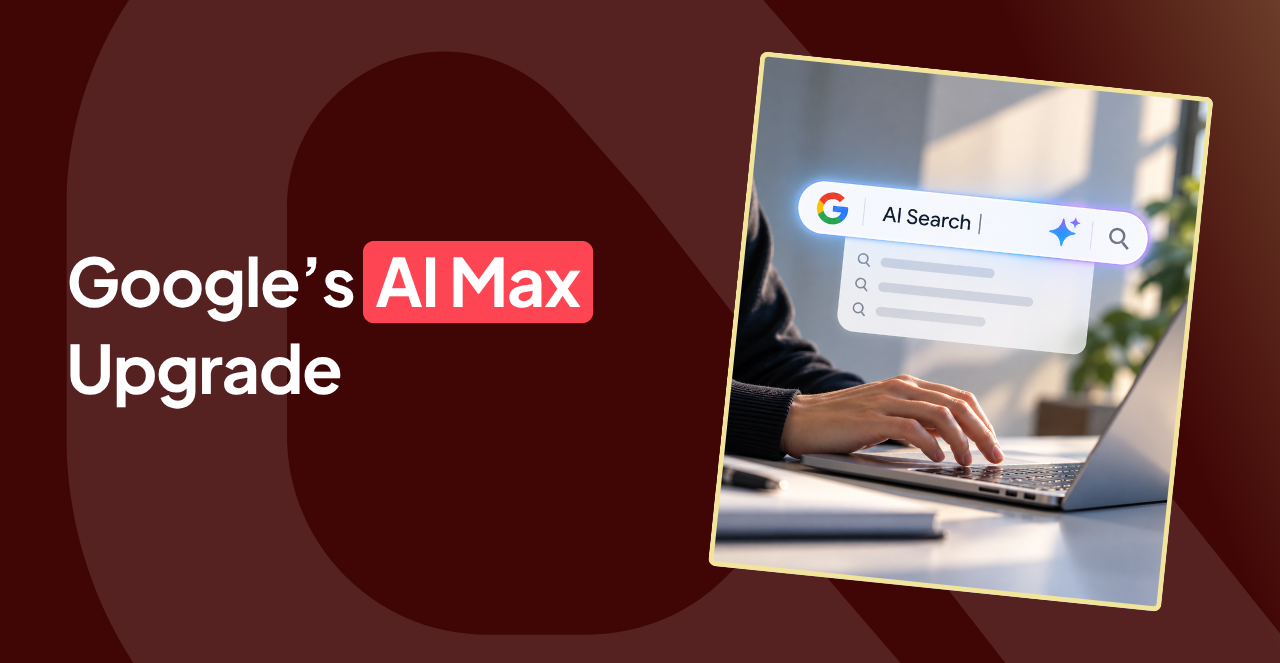
AI Max for Search campaigns is Google’s AI layer inside standard Search campaigns. It widens query matching, rewrites ad text, and can swap landing pages. Google is auto-upgrading campaigns that use older automation, so audit your settings now. Then keep, adjust, or turn off each feature based on what your search terms show. You open Google Ads one morning and spot a setting you don’t remember switching on. Nothing looks particularly alarming, but your campaign suddenly has more freedom to make decisions you used to control. That’s AI Max for Search campaigns, Google’s latest push toward automated advertising. Google has been giving its algorithms more say in campaign decisions for years, but this time, some advertisers are seeing the changes arrive through automatic upgrades. So, who’s actually steering your campaigns, and how much control do you still have? This guide explains what Google Ads AI Max does and which settings deserve a closer look before you hand over more control.Key Takeaways
- Campaigns using automatically created assets or campaign-level broad match began upgrading to AI Max in September 2026.
- Dynamic Search Ads follow later, with auto-upgrade starting in February 2027.
- AI Max runs only on Search, so it is a different thing from Performance Max.
- You can turn off AI Max completely or switch its features off one by one.
- Start your audit with the search terms report.
What Does AI Max Do in Google Ads?
AI Max gives your standard Google Search campaigns more room to make decisions automatically. It can find searches your existing keywords miss, generate additional ad copy, and choose a different landing page when Google considers it more relevant. Think of it as an eager assistant working alongside your keyword list, except this one occasionally takes the initiative without asking. Google describes AI Max as an evolution of Dynamic Search Ads and Performance Max with final URL expansion. It brings some of that automation into regular Search campaigns, where advertisers can still manage individual features. Here’s what happens behind the scenes:- Search term matching: uses broad match and keywordless matching to show your ads for relevant searches outside your keyword list.
- Text customization: generates extra headlines and descriptions from your ads, keywords, and landing pages.
- Final URL expansion: can swap your chosen landing page for another page on your site that better fits the search.
Which Campaigns Are Being Auto-Upgraded to AI Max?
Some advertisers don’t have to enable AI Max for Search campaigns themselves. Google is already handling the transition for eligible campaigns. According to Google’s upgrade announcement, the rollout began in September 2026 for campaigns using two older automation settings:- Automatically created assets (ACA).
- Campaign-level broad match.
What About the DSA to AI Max Migration?
Dynamic Search Ads got extra time. After advertiser feedback, Google pushed the DSA sunset and auto-upgrade to February 2027. So, the DSA to AI Max migration is still coming. Google has also added an upgrade button to the DSA settings panel, which lets you move on your own schedule. The key distinction is that upgrading to AI Max doesn’t automatically turn on every feature. Your existing campaign configuration determines which settings carry over. That’s why checking what’s actually enabled matters more than simply spotting the AI Max label in your account.Is Google Ads AI Max the Same as Performance Max?
No. AI Max adds automation features to an existing Search campaign, whereas Performance Max is a separate campaign type. It’s easy to confuse the two. Both rely on Google’s AI to make advertising decisions, and both can select landing pages dynamically. The difference is how much of your existing campaign setup they change. With AI Max, your keywords, ad groups, and Search campaign structure remain in place. Performance Max (PMax) takes a broader approach, using a separate campaign setup to reach customers across Google’s advertising channels.AI Max vs Performance Max: Key Differences
The biggest distinction in the AI Max vs Performance Max comparison comes down to where your ads appear. AI Max operates within Search campaigns. Performance Max can serve ads across Search, YouTube, Display, Discover, Gmail, and Maps. That difference affects how you target searches and organise campaigns. Here’s a side-by-side comparison:| Feature | AI Max | Performance Max |
|---|---|---|
| Campaign type | Optional features within a Search campaign | Separate campaign type |
| Where ads run | Search text inventory | Search and other Google advertising channels |
| Keywords | Your keyword list stays and AI expands beyond it | Built around assets and signals instead of a keyword list |
| Landing pages | Final URL expansion is optional and needs text customization | Final URL expansion is available too, with its own controls |
Is AI Max Worth It on Google Ads?
AI Max can be worth testing, especially if your conversion tracking is reliable and your existing keywords are missing valuable searches. But giving Google more freedom doesn’t automatically mean better results. For businesses with strict brand guidelines or limited budgets, that extra freedom deserves scrutiny. Consider a business selling premium running shoes. AI Max might identify a search for cheap trail runners as relevant because the website mentions trail shoes. Technically, there’s a connection. Commercially, that click might be a waste of money if the business doesn’t sell budget footwear. So, is AI Max worth it? Start with a controlled test and a budget you’re comfortable spending on learning. Compare conversion volume, cost per conversion, and lead quality against your existing performance. More impressions mean little if the extra traffic never turns into enquiries or sales.Should I Turn On AI Max in Google Ads?
Turn on AI Max for Search campaigns if three things are in place. You have reliable conversion tracking and a bidding strategy that learns from conversions. You also have time to review search terms weekly. If any of these is missing, hold off. AI Max learns from your results, so weak data gives it weak signals. A sound conversion tracking setup is the foundation. Automated bidding comes next, because Google says search term matching does not work with manual CPC. Starting with Smart Bidding strategies avoids that problem. Landing pages deserve a second look too. Final URL expansion can override pinned responsive search ad assets when Google selects a different landing page. URL inclusions can also affect pinning. So, if your brand relies on specific headlines appearing in fixed positions, keep both settings off.How to Enable AI Max in Google Ads
Enabling AI Max only takes a few clicks. Deciding which features to enable deserves a little more thought. Here’s how to get started:- Open your Search campaign and go to Settings.
- Find the AI Max section and toggle the opt-in.
- Choose the features you want: search term matching, text customization, and final URL expansion.
- Add URL exclusions and brand settings so ads avoid pages and names you want left out.
- Check ad group settings, where you can switch off search term matching for specific ad groups.
How to Turn Off AI Max in Google Ads
To turn off AI Max, open the AI Max section in your campaign settings and toggle to opt out of all AI Max settings. You don’t have to go all or nothing, though. Search term matching can be switched off at the ad group level. Text customization and final URL expansion are campaign settings that you can switch off separately. Just remember that final URL expansion depends on text customization, so turning off text customization turns off both. One warning before you flip any switch. Legacy settings such as campaign-level broad match and automatically created assets may no longer be available in their previous form after migration. Turning off AI Max for Search campaigns shouldn’t be treated as a guaranteed way to restore your old configuration. Before making changes, document your current settings and export relevant performance reports. That way, if performance takes an unexpected turn, you’ll have a clear record of what changed and when.What to Audit in Your Google Ads Account Now
You don’t need to overhaul your entire account in one sitting. Start with the settings that affect where your budget goes, then make regular checks part of your routine. Work through this checklist to audit AI Max for Search campaigns:- Filter your campaign list for AI Max and review the settings summary on each campaign.
- Open the search terms report and flag irrelevant matches. Add negative keywords where needed.
- Read the generated headlines and descriptions for accuracy and tone.
- Add URL exclusions for pages that should not get paid traffic, such as old offers or support articles.
- Check brand inclusions and exclusions at campaign and ad group level.
- Compare conversions and cost per conversion against your pre-upgrade baseline.