

• Digital Marketing
  • Google Business Profile Suspended? A Reinstatement Playbook for Australian Service Businesses

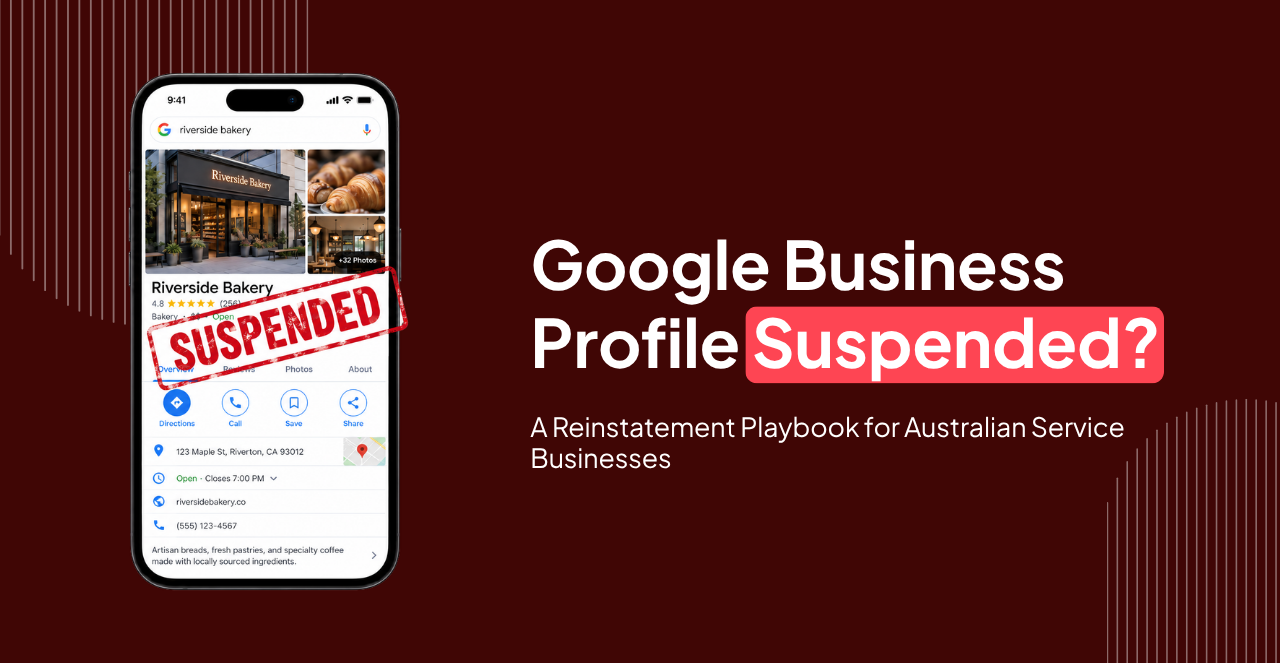
Google Business Profile Suspended? A Reinstatement Playbook for Australian Service Businesses

google business profile suspended

Table of Contents

Has your Google Business Profile disappeared from Search or Maps after a suspension? Do not immediately create a new profile or repeatedly submit appeals. A Google Business Profile suspended notice usually means Google believes something about the listing, business eligibility or account activity may breach its guidelines. For Australian service businesses such as plumbers, electricians, cleaners, landscapers and mobile technicians, address and service-area settings are common trouble spots. The fastest route back is to identify the likely policy problem, correct it, gather evidence showing the business is legitimate, then submit one well-prepared appeal. Here is the process to follow.

Key Takeaways

  • Fix the likely policy issue first, then submit one well-prepared appeal.
  • Business name, address and service-area settings are the most common trouble spots for service businesses.
  • Gather registration documents and bills that match your profile details before appealing.
  • Do not create a replacement profile or submit repeat appeals while a review is pending.

Why Is My Google Business Profile Suspended?

Google can restrict or suspend Business Profiles that do not comply with its representation guidelines. Common causes include:
  • adding keywords or locations to the business name
  • displaying an address where customers are not actually served
  • using a virtual office or ineligible co-working address
  • creating duplicate listings
  • inaccurate business categories
  • misleading service areas
  • conflicting information across your website and profile
  • questionable ownership or account activity
Google says businesses should represent themselves as they are recognised in the real world, including using an accurate business name, address and service area. A business called Smith Plumbing should therefore not change its profile name to something such as: Smith Plumbing | Best Emergency Plumber Melbourne 24/7 unless that wording is genuinely part of the business’s real-world name. Google’s official Business Profile representation guidelines are the best starting point when working out why your Business Profile was suspended.

How Do I Unsuspend My Google Business Profile?

The correct approach is fix first, appeal second.

1. Review the profile against Google’s policies

Check your:
  • business name
  • address
  • service area
  • primary category
  • website
  • phone number
  • opening hours
  • duplicate profiles
Do not change information randomly. Correct only details that are inaccurate or non-compliant.

2. Pay particular attention to your address

Address problems are especially important for service businesses. If customers do not visit your location, Google says you should operate as a service-area business and hide the address from customers. A plumber working from home, for example, can still have a Business Profile without publicly displaying the home address. Google also says virtual offices generally cannot be used as Business Profile locations unless the location meets its requirements for genuine staffing and customer interaction.

3. Gather evidence before appealing

Google recommends preparing supporting documents before starting your appeal. Useful evidence can include:
  • official business registration
  • business licence
  • tax documentation
  • electricity or phone bills
  • internet or other utility bills
The business name and address on your evidence should match the information associated with the profile wherever applicable. This is where many GBP reinstatement attempts become unnecessarily difficult. If the website says one address, your documents show another and the profile lists a third, Google has more information to reconcile.

4. Submit the appeal once the profile is compliant

Use Google’s Business Profile appeals process, select the affected profile and review the restriction shown. Google says appeal reviews can take up to five business days and advises businesses not to submit multiple appeals for the same issue while a decision is pending. It also warns against creating a new profile for the same business while an appeal is being reviewed.

What Causes a Google Account or Business Profile to Be Suspended?

A Business Profile suspension is not always the same as your entire Google Account being suspended. The problem may relate specifically to the profile, its content or how the business is represented. For local businesses, eligibility is crucial. A service-area business should generally have one profile for the central location it operates from. If the business genuinely has multiple locations with separate staff serving separate areas, additional profiles may be eligible. Problems often arise when businesses create separate profiles for every suburb they want to rank in. A Melbourne electrician does not need:
  • Electrician Richmond
  • Electrician South Yarra
  • Electrician Prahran
  • Electrician St Kilda
as four separate Google Business Profiles if all services operate from one business location. That is a local SEO strategy problem, not a listing opportunity. Our local SEO guide for Melbourne and Sydney businesses explains how to expand local visibility without creating questionable listings. And because AI-generated local answers draw on the same business information, it is worth understanding how local SEO works in AI search before you start adding or restructuring listings.

Is Google Business Profile Suspension Permanent?

Not necessarily. A legitimate business can often recover a profile if the underlying policy issue is corrected and Google accepts the appeal. However, reinstatement is not automatic. The strongest approach is to make the listing clearly compliant before asking Google to reconsider it. That means resisting shortcuts such as:
  • changing details repeatedly during review
  • creating replacement profiles
  • stuffing keywords into the business name
  • using another address simply to regain Maps visibility
  • submitting repeated appeals without new evidence
If Google cannot verify that the business exists or operates as described, further verification may also be required.

What Is GBP Video Verification?

Google may ask businesses to complete GBP video verification to demonstrate that the company exists and that the person managing the profile is authorised to represent it. For service-area businesses, Google says the recording should generally demonstrate three things:
  1. Where the business operates
  2. Evidence that the business genuinely exists
  3. Evidence that you manage or represent it
Useful footage can include nearby street signs, professional tools, equipment, branded vehicles, work materials and business documents. Google requires the verification video to be recorded live through the Business Profile workflow. It must be a single, unedited recording and at least 30 seconds long. See Google’s official video verification requirements before recording. Planning the video first is much easier than discovering afterwards that one essential piece of evidence was missing.

How Can I Appeal a Google Business Profile Suspension?

Use Google’s official appeals tool rather than trying to solve the problem through unrelated support channels. Before starting: Confirm eligibility. Make sure the business qualifies for a Business Profile. Correct policy issues. Do not appeal a listing you already know contains inaccurate information. Prepare evidence. Have registration records, licences and supporting bills ready. Keep information consistent. Your website, official documentation and Business Profile should tell the same story. Submit one clear appeal. More submissions do not make a weak case stronger. If you choose to add supporting evidence after submitting the appeal, Google currently requires that evidence to be submitted within 60 minutes so it can be attached to the appeal.

Can a Suspended Google Business Profile Be Recovered?

Yes, many legitimate profiles can be recovered. The key question is whether you can demonstrate that:
  • the business is genuine
  • the profile accurately represents it
  • the location or service-area setup is eligible
  • the business information complies with Google’s rules

Once restored, avoid treating reinstatement as the end of the job. Check your local SEO foundations, including your website, business details, categories, reviews and location information. Our guide to SEO strategies for small businesses covers the broader foundations. It is also worth reviewing common SEO mistakes that hurt rankings so your Maps visibility is not undermined by problems elsewhere on the site.

Fix the Cause Before Fighting the Suspension

A suspended profile can immediately affect enquiries for an Australian service business, particularly when customers rely on Google Maps and local search to choose a provider. But the solution is not to rush the appeal. Check whether your business name, address, service area and profile structure comply with Google’s policies. Gather evidence, fix inconsistencies and then submit a clear reinstatement request. If local visibility is important to your business and you need help strengthening the SEO around your Google Business Profile and website, explore Adcept Marketing’s SEO services for a sustainable local search strategy.

FAQs

Should I Create a New Profile If Mine Is Suspended?

Usually, no. Google specifically advises against creating another profile for the same business while an appeal is being reviewed. Fix and appeal the existing profile instead.

Can I Use My Home Address for a Service Business?

You can operate a service-area business from home, but if customers do not visit that address, Google says the address should not be displayed publicly on your Business Profile.

Can I Use a Virtual Office for Google Business Profile?

Generally not. Google says a rented postal address or virtual office is not eligible unless it meets specific requirements for genuine business operations at that location.

How Long Does a Google Business Profile Appeal Take?

Google says appeal reviews and decisions can take up to five business days, although individual situations may vary.

Will I Need Video Verification After Reinstatement?

Possibly. Verification requirements depend on the business and Google’s available verification methods. If video verification is requested, follow Google’s requirements carefully.

ABOUT THE AUTHOR

Picture of Ammar Saleem

Ammar Saleem

Ammar Saleem is a Copywriter at Adcept Marketing who’s spent the last five years helping brands turn smart automation into real results. From search engine optimization to sales funnels and landing pages, he creates content that connects with audiences and drives action. Ammar Saleem has a talent for breaking down complex ideas into clear, practical messaging and he loves helping businesses simplify their marketing so growth feels effortless.

Table of Contents

Related Insights