

Is rank tracking accuracy slipping? Learn how Google’s goto redirects and poisoned SERPs affect rank trackers, and how to verify drops in Search Console.
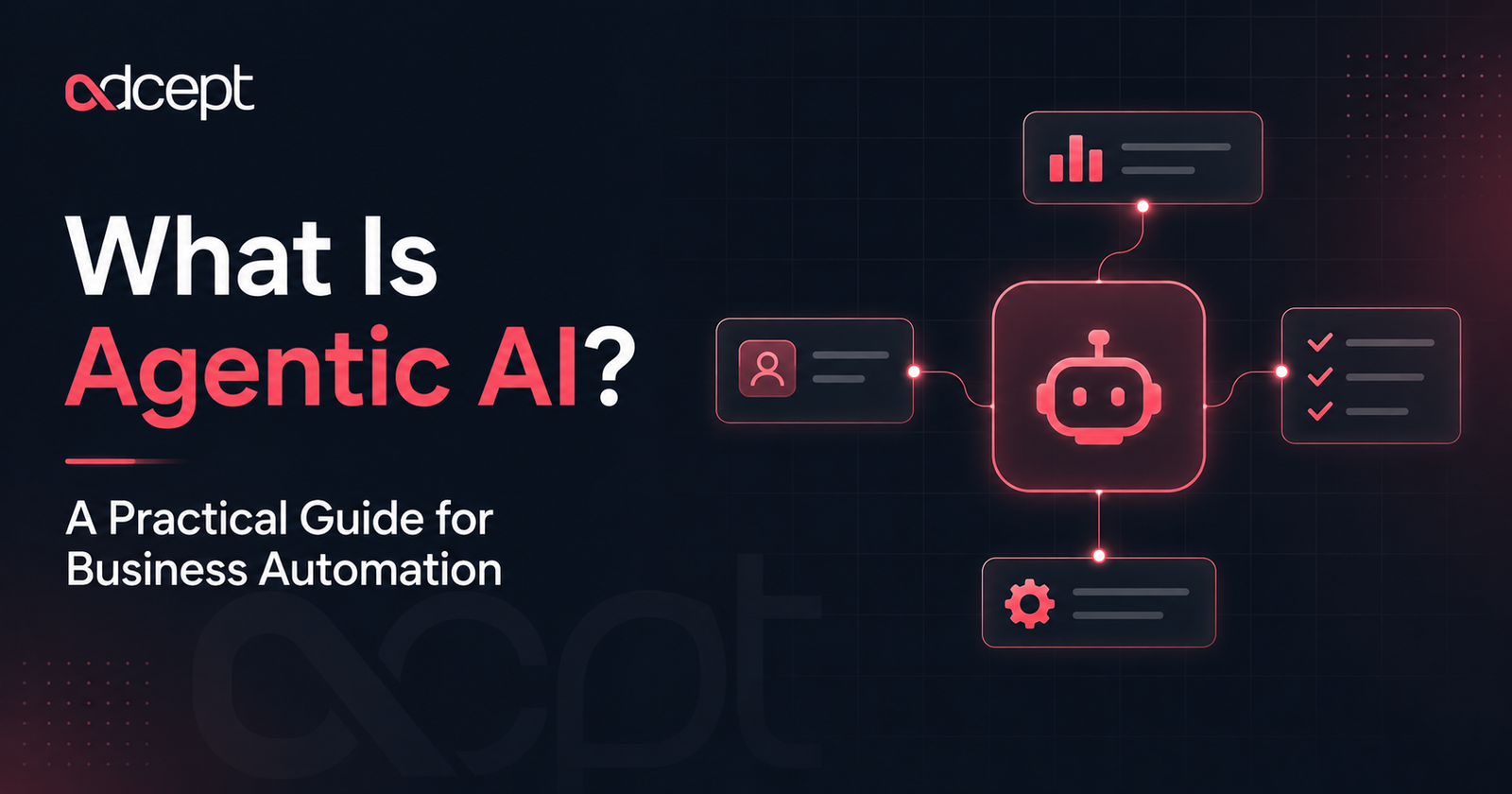
Agentic AI is artificial intelligence that can plan, decide and take action toward a goal with limited human input. If you have searched for what is agentic AI, the simple answer is this: it is AI that does more than respond to prompts. It can understand a task, choose the next step, use tools, check results and continue working until the job is complete.
IBM and MIT describe agentic AI as systems that can act with limited supervision and integrate with other software to complete tasks. For businesses, this makes agentic AI the next step after traditional automation and generative AI.
Instead of only creating text, summaries or images, agentic AI can help run workflows across CRMs, email platforms, spreadsheets, project tools and customer systems.
What Is Agentic AI?
Agentic AI is a type of AI system designed to complete goals, not just generate responses. It can break a task into steps, choose tools, make decisions, take action and adjust based on feedback.
This means the system has a level of autonomy.
For example, a normal chatbot may answer, “Here is a follow-up email.” An agentic AI system could draft the email, check the CRM, personalise the message, schedule the follow-up and notify the sales team.
That difference matters.
Agentic AI is not just about intelligence. It is about action.
What Is Agentic AI in Simple Terms?
Agentic AI is AI that can act like a digital worker. It receives a goal, works out what needs to happen, uses connected tools and completes tasks with minimal human direction.
A useful way to think about it:
- Generative AI creates.
- Rule-based automation follows instructions.
- Agentic AI decides what to do next.
This is why many businesses are starting to see agentic AI as the next evolution of automation.
What Is Agentic AI in Business?
In business, what does agentic AI really mean? How can AI help teams move from manual work to intelligent workflows?
Agentic AI can support tasks such as:
- Responding to customer enquiries
- Updating CRM records
- Summarising sales calls
- Creating reports
- Routing leads
- Checking data quality
- Sending internal alerts
- Managing repetitive admin steps
It works best when connected to real business systems.
That may include HubSpot, Salesforce, Gmail, Slack, Google Sheets, Xero, Airtable, Notion, Monday.com, Make, n8n, Zapier or custom APIs.
How Agentic AI Works
Agentic AI works by combining language models, business rules, memory, integrations and workflow logic. It can interpret a goal, plan the steps, use tools and check whether the task was successful.
Most agentic systems follow a simple loop:
- Understand the goal. The AI receives an instruction, such as “qualify this new lead”.
- Review the context. It checks customer data, form responses, CRM fields or previous interactions.
- Plan the next step. It decides whether to email, assign, update, summarise or ask for approval.
- Use tools. It connects with software such as CRM, email, calendar, spreadsheets or automation platforms.
- Take action. It performs tasks such as updating a contact or sending a notification.
- Check the result. It confirms whether the action worked or whether another step is needed.
IBM explains that AI agents can autonomously perform tasks by designing workflows and using available tools, which is central to how agentic systems operate.
Agentic AI vs Generative AI vs Rule-Based Automation
The difference between agentic AI, generative AI and rule-based automation is mainly autonomy.
Generative AI responds to a prompt. Rule-based automation follows fixed instructions. Agentic AI works toward a goal and can decide the next best step.
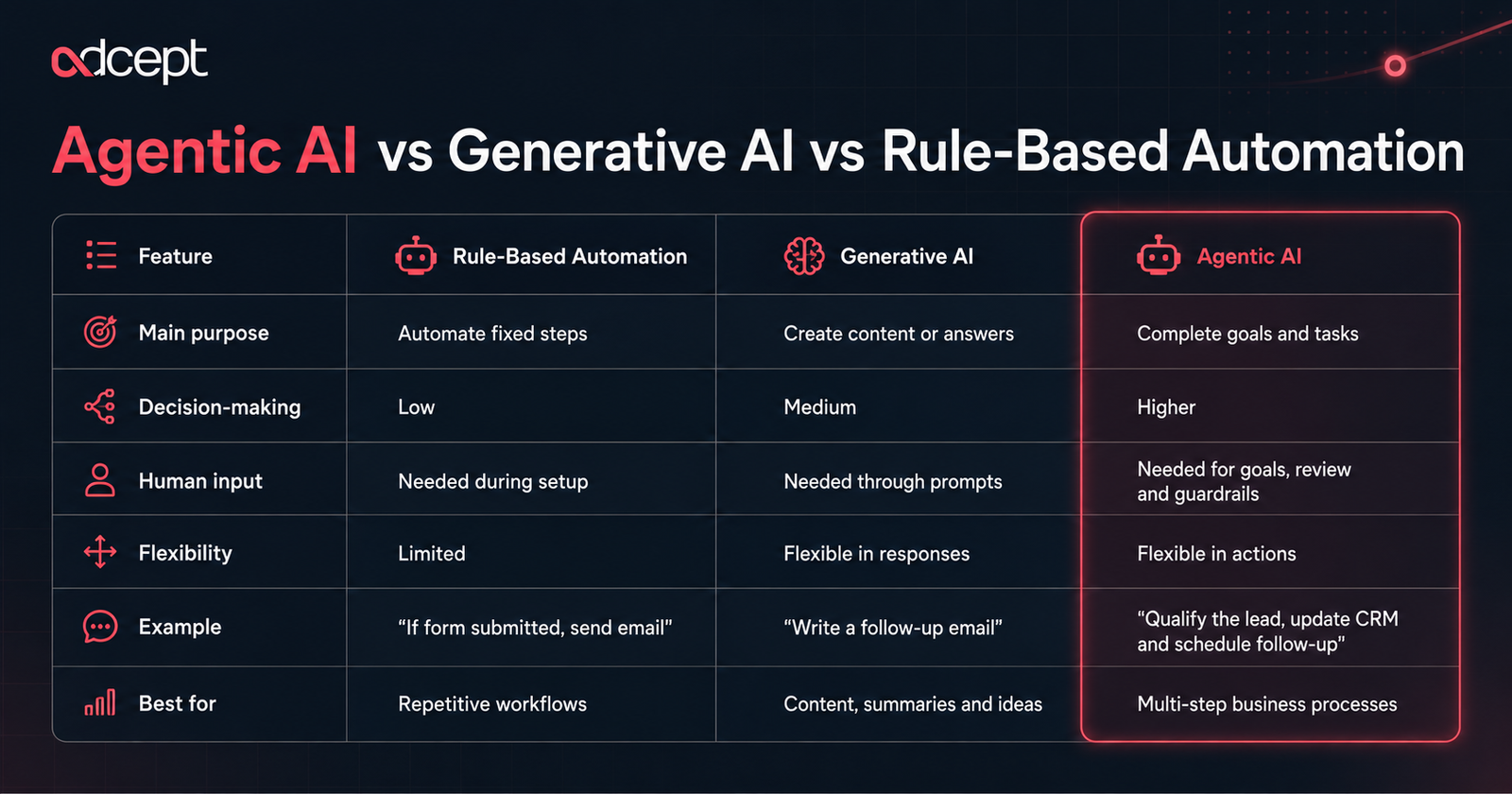
IBM also separates agentic AI from generative AI by noting that agentic systems are more focused on decisions and actions, while generative AI is mainly used to create new content.
Difference Between Rule-Based Automation and Agentic AI
Rule-based automation is best when the process is predictable. Agentic AI is better when the task needs judgement, context or multiple possible actions.
For example:
A rule-based workflow can send the same email after a form submission.
An agentic AI workflow can read the enquiry, classify urgency, check customer history, choose the right response and assign the lead to the correct person.
Both are useful.
The key is knowing when a simple workflow is enough and when intelligent decision-making adds value.
Why Agentic AI Matters for Business Automation
Agentic AI matters because many business processes are no longer simple linear workflows. Teams deal with messy data, changing customer needs, multiple software tools and decisions that cannot always be handled by fixed rules.
This is where agentic AI becomes valuable.
It can support more adaptive automation, where the system is not just moving data from one place to another.
It can interpret information, choose a path and take action.
For Australian businesses, this can help reduce admin, improve response times and create more consistent operations without adding more manual workload.
Businesses exploring AI Automation Services can use agentic AI to move beyond basic task automation and build workflows that support real decision-making. Adcept’s AI Automation page positions AI agents and workflow automation around reducing manual work, keeping systems aligned and improving business operations.
Business Benefits of Agentic AI
The benefits of agentic AI are strongest when it is applied to repeatable, high-volume and decision-heavy workflows.
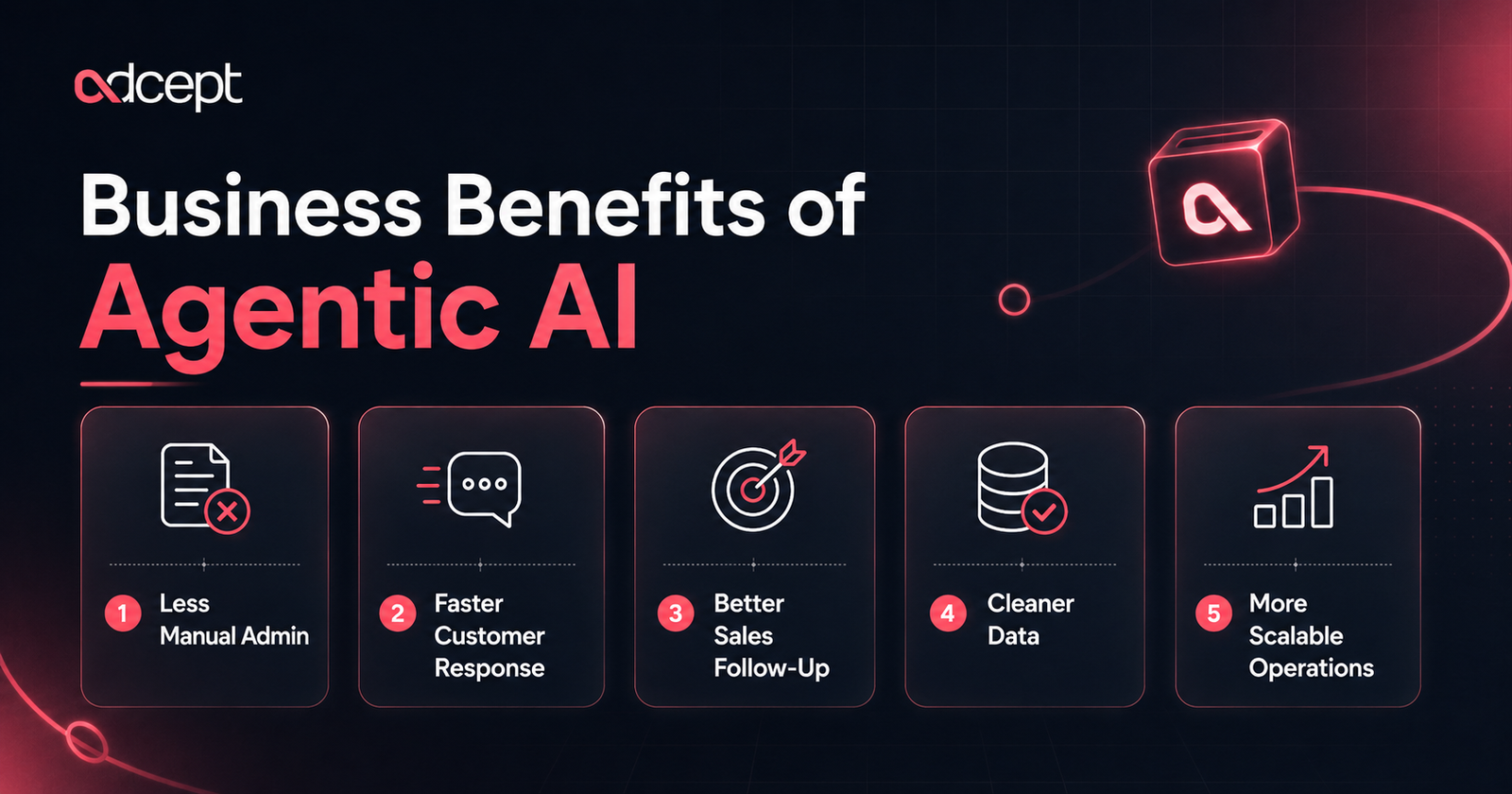
Less Manual Admin
Agentic AI can handle tasks that usually require a person to check, copy, paste, compare or update information.
Examples include:
- Sorting enquiries
- Updating spreadsheets
- Creating task summaries
- Sending reminders
- Checking missing fields
- Preparing reports
This does not remove the need for people.
It gives people more time for work that needs judgement, care and strategy.
Faster Customer Response
Agentic AI can help businesses respond faster by checking context before acting.
For example, it can:
- Read a customer message
- Check order history
- Identify the issue
- Draft a response
- Escalate urgent cases
- Create a support ticket
The result is a faster first response without losing context.
Better Sales Follow-Up
Sales teams often lose leads because follow-up is inconsistent.
An agentic AI system can review new leads, score interest, enrich records, draft follow-ups and remind the right person.
It can also route leads based on location, service type, budget or urgency.
Cleaner Data
Bad data slows down reporting and decision-making.
Agentic AI can help spot missing values, duplicate records, unusual entries and inconsistent formatting.
It can also suggest corrections before data reaches dashboards or reports.
More Scalable Operations
As a business grows, manual systems often break.
Agentic AI can help teams scale by handling more tasks across more tools without adding the same level of admin pressure.
This is especially useful for growing service businesses, agencies, clinics, construction firms, consultants and eCommerce teams.
Real Business Examples
Agentic AI works best when it is tied to clear business outcomes.
Here are practical examples.
Example 1: Lead Qualification
A business receives enquiries through a website form.
An agentic AI system can:
- Read the enquiry
- Check whether the lead matches the ideal customer profile
- Search the CRM for previous records
- Score the lead
- Assign it to the right team member
- Draft a personalised response
- Create a follow-up task
This is more advanced than a basic “form submitted → send email” workflow.
Example 2: Weekly Reporting
A manager needs weekly updates from multiple tools.
An agentic AI system can:
- Pull data from CRM, ads, analytics and spreadsheets
- Summarise key changes
- Flag unusual results
- Draft a short management update
- Send the report to Slack or email
This can reduce reporting effort while keeping humans in control of final decisions.
Example 3: Customer Support Triage
A support inbox receives many types of requests.
Agentic AI can classify each message, check urgency, suggest the right response and route complex issues to a human.
This helps teams avoid missed requests and slow replies.
Expert Tip
Start with one workflow that is painful, repetitive and easy to measure.
Good first projects include lead routing, quote follow-up, reporting, inbox triage, onboarding, appointment reminders and CRM clean-up.
Pros and Cons of Agentic AI
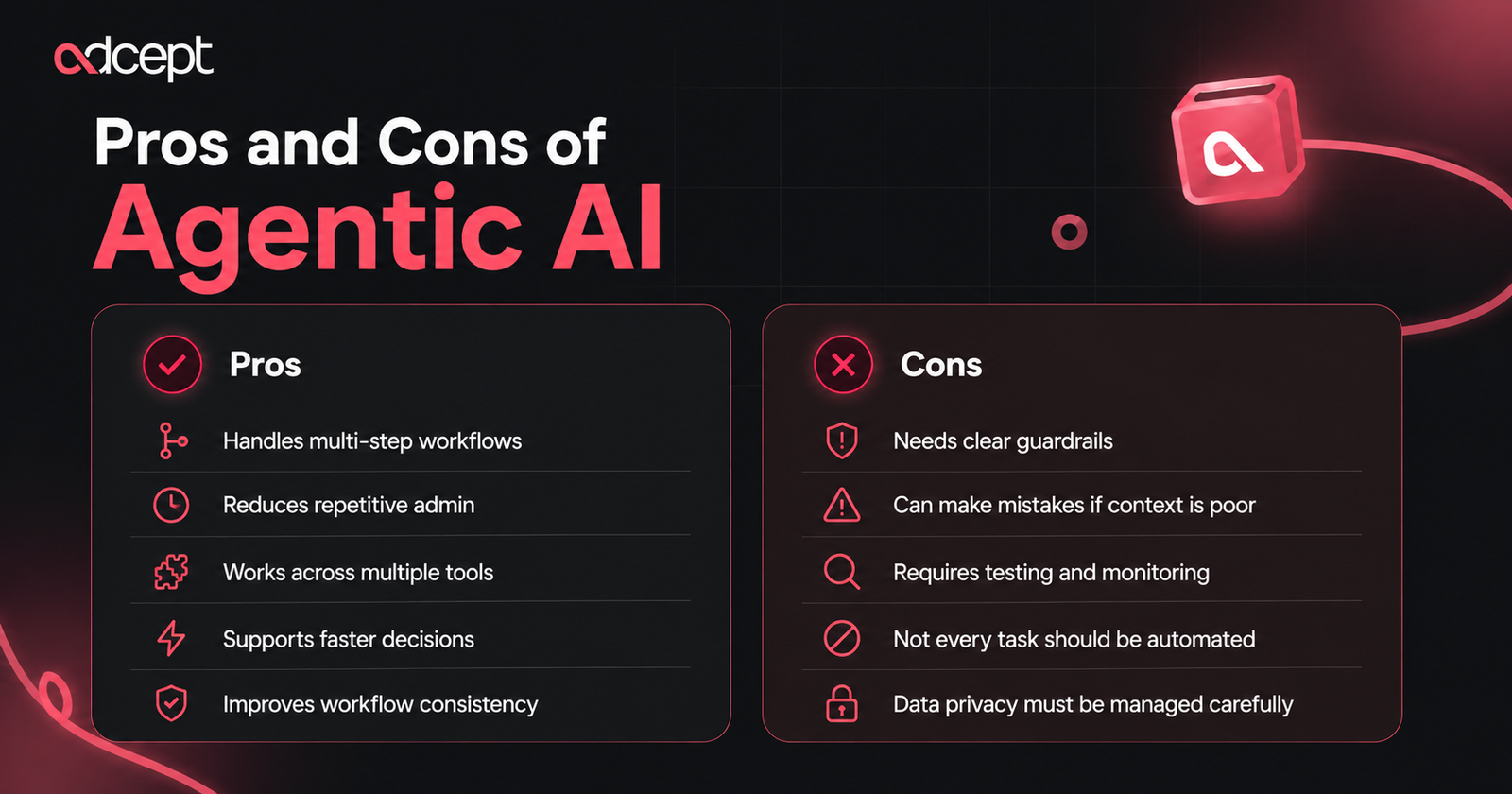
Agentic AI has strong business potential, but it also needs careful setup.
The goal is not to let AI run everything without oversight.
The goal is to design safe, useful and measurable systems.
Common Mistakes
Mistake 1: Automating a Broken Process
If the process is messy, AI can make the mess move faster.
Before building an agentic workflow, map the process clearly.
Remove unnecessary steps first.
Mistake 2: Giving AI Too Much Freedom Too Early
Agentic AI should not have full access to sensitive systems without review points.
Start with low-risk actions.
Then expand once the workflow is proven.
Mistake 3: No Human Approval
Some actions should always require human approval.
These may include refunds, legal responses, financial decisions, hiring decisions or sensitive customer communications.
Mistake 4: Poor Data Quality
Agentic AI depends on context.
If your CRM, documents or databases are outdated, the system may act on the wrong information.
Mistake 5: Choosing Tools Before Strategy
Tools matter, but workflow design matters more.
Make, n8n, and Zapier can all support automation, but the right choice depends on the process, integrations, complexity and control required.
For businesses comparing platforms, Make Automation, n8n Automation and, Zapier Automation can help match the workflow to the right automation stack. Adcept’s Make page also highlights use cases such as CRM syncing, lead automation, accounting workflows and AI-powered workflow automation.
Best Practices for Agentic AI
Good agentic AI systems are designed with structure, safety and business goals in mind.
Best Practice 1: Define the Goal Clearly
Do not start with “use AI”.
Start with a specific goal.
For example:
- Reduce lead response time
- Improve CRM data quality
- Automate weekly reporting
- Triage support tickets
- Reduce manual invoice checks
Clear goals make the system easier to measure.
Best Practice 2: Keep Humans in the Loop
Human review is important, especially at the start.
Use approval steps for sensitive actions.
Let AI prepare, check and recommend before it acts independently.
Best Practice 3: Use Reliable Data Sources
Agentic AI needs trusted context.
Connect it to clean CRM records, approved knowledge bases, current documents and reliable databases.
Avoid letting it guess from incomplete information.
Best Practice 4: Add Guardrails
Guardrails help control what the AI can and cannot do.
These may include:
- Permission limits
- Approval rules
- Data access controls
- Escalation paths
- Audit logs
- Error handling
Best Practice 5: Test With Real Scenarios
Test the system with real examples before launch.
Include edge cases, missing data, unusual requests and unclear instructions.
This helps you find risks before customers or staff experience them.
Best Practice 6: Review and Optimise
Agentic AI is not a set-and-forget project.
Review performance regularly.
Check accuracy, speed, user feedback and business impact.
When Should a Business Use Agentic AI?
A business should use agentic AI when a workflow needs more than a simple trigger and action. It is most useful when the task involves judgement, context, multiple tools or repeated decisions.
Good signs include:
- Staff spend hours on repetitive admin
- Leads are missed or followed up late
- Reporting takes too long
- Customer messages need sorting
- Data is spread across many tools
- Processes depend on manual handovers
- Managers need faster operational visibility
If your workflow is simple, basic automation may be enough.
If the workflow needs reasoning and action, agentic AI may be a better fit.
An experienced Ai Consultant can help assess where agentic AI makes sense and where traditional automation is still the smarter choice.
Future Trends in Agentic AI
Agentic AI is moving from simple assistants toward more connected business systems.
The next stage will likely include:
- Multi-agent workflows where several AI agents handle different tasks
- More voice-based agents for customer service and internal support
- Stronger governance and approval controls
- Deeper CRM and ERP integrations
- AI agents that monitor business performance
- Better audit trails for compliance
- More industry-specific AI workflows
The future is not just “more AI”.
It is a more useful automation designed around how businesses actually operate.
For companies looking for practical AI solutions in Australia, the opportunity is to start small, prove value and build responsibly.
Quick Summary
- Agentic AI is AI that can plan, decide and act toward a goal.
- It is different from generative AI because it not only creates content.
- It is different from rule-based automation because it can adapt its next step based on context.
- For businesses, it can support lead management, reporting, customer service, CRM updates, data checks and operational workflows.
Conclusion
So, what is agentic AI?
Agentic AI is the next evolution of business automation. It combines AI reasoning, workflow automation, tool use and decision-making to complete tasks with less manual input.
It does not replace strategy, judgement or human responsibility.
Instead, it helps businesses remove repetitive work, respond faster, improve data quality and build smarter systems.
The best results come from clear workflows, clean data, human approval and careful implementation.
For Australian businesses, agentic AI is no longer just a technical idea. It is becoming a practical way to improve how work gets done.
Key Takeaways
- Agentic AI can plan, decide and take action toward a business goal.
- It is different from generative AI, which mainly creates content or responses.
- It is more flexible than rule-based automation because it can use context.
- Common use cases include CRM updates, lead routing, reporting and customer support.
- Human oversight is still important, especially for sensitive actions.
- Good data, clear goals and guardrails are essential.
- Businesses should start with one measurable workflow before scaling.
- Agentic AI works best when connected to real business systems and processes.
FAQs
What is agentic AI?
Agentic AI is artificial intelligence that can work toward a goal with limited human input. It can plan steps, use tools, make decisions and take action across business systems.
How is agentic AI different from generative AI?
Generative AI creates content such as text, images, code or summaries. Agentic AI uses AI to complete tasks, make decisions and take action, often across connected tools.
Is agentic AI the same as automation?
No. Traditional automation follows fixed rules. Agentic AI can respond to context, choose the next step and adapt within defined limits.
What are examples of agentic AI in business?
Examples include AI sales assistants, customer support triage agents, reporting agents, CRM clean-up agents, onboarding assistants and workflow agents that manage multi-step processes.
Is agentic AI safe for businesses?
Agentic AI can be safe when designed properly. Businesses should use clear permissions, human approval, audit logs, secure integrations and strong data controls.
Do small businesses need agentic AI?
Small businesses may benefit from agentic AI when they have repetitive tasks, missed follow-ups, manual reporting or disconnected tools. It is best to start with one clear workflow.
Can agentic AI make decisions without humans?
Yes, but only within the limits set by the business. Important decisions should still involve human review, especially when money, customers, compliance or sensitive data are involved.
How do I get started with agentic AI?
Start by mapping one repetitive workflow. Identify the goal, tools, data, risks and approval points. Then build a small pilot before expanding to more complex automation.